


Organize a petanque tournament à la mêlée
Organizing a pétanque tournament à la mêlée is an excellent way to create conviviality between players. This type of tournament is based on a random drawing of teams at each game.
📌 What is a tournament à la mêlée ?
In a tournament à la mêlée, teams are randomly formed each round. Players therefore never play with the same partners, which promotes fairness and a good atmosphere. A tournament à la mêlée can be done in doubles or triples.
- Random drawing of teams for each game
- Rotation of partners and opponents
- Individual ranking of players by points
📣 Promote your tournament!
To attract as many players as possible, consider publishing your tournament on specialized platforms such as the website petanque-generation.fr or petanque-world.com or the application Bouliste+ .
You can publish your tournament here in less than a minute: Ajouter un concours de pétanque
Publishing your tournament online significantly increases participation and contributes to the success of your event, both in terms of visibility and benefits for the club.
👥 How many players do you need in a tournament à la mêlée?
The number of players depends on the player format chosen:
- Doubles : i.e. 4 players per match. The number of players must be a multiple of 2, and to avoid having byes it must be a multiple of 4.
- Triples : i.e. 6 players per match. The number of players must be a multiple of 3, and to avoid having byes it must be a multiple of 6.

⚙️ Steps to organize a tournament à la mêlée
1. Creation of the tournament
Start by creating the tournament by providing the following information: name, date, location, country, the type of tournament, the player format, the 'Melee' format as well and the number of desired rounds and the number of courts. When creating the tournament, a QR Code will be displayed, this allows players to follow the results of the tournament live via the QR Code link.
2. Player registration
Register all players participating in the tournament à la mêlée. On this page, you can import all the players from your club that you have previously created on your Dashboard, or you can also create the players one by one. By importing the club's players, this will make it possible to generate a ranking over several tournaments in order to see the players' progress.
3. Team draw
Start the draw of the games. Each round, teams are randomly generated. The objective is to prevent a player from ending up with the same partner(s) during the tournament à la mêlée.
4. Enter scores
For each game in the round you must enter the scores. Once the scores are entered for the round, you will be able to perform the automatic draw for the next round.
5. View the ranking
Players score points individually. The final ranking is based on the cumulative results during all the player's games. The ranking is made according to the number of victories of the player then the number of points (goal average). 2 players with the same number of victories and points are tied in the ranking.
6. Export ranking to PDF
You can export the tournament rankings in PDF format in order to print it and display it in your club.
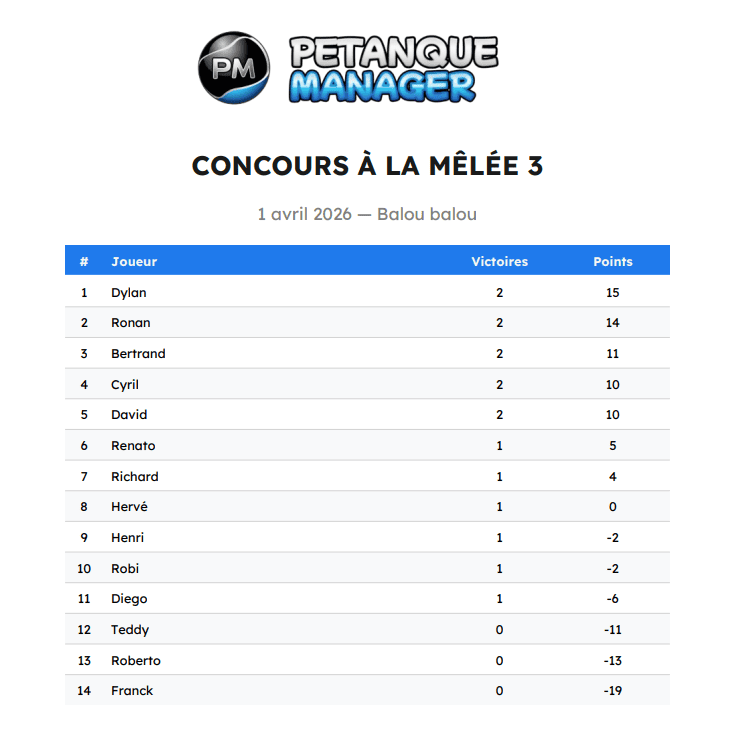
Example of exporting the ranking to PDF
7. Close the tournament
In order for the tournament to remain viewable and to update the club's internal ranking, it is important to close the tournament. A popup will be displayed asking you to close it. The results of the tournament à la mêlée remain viewable at any time.
📱 How to follow the results live on your smartphone?
When creating a tournament, a QR code is displayed. You can also print it in PDF format to display it to players wishing to follow the results live on their smartphone.
It is also possible to find a tournament by entering its number in the site's search bar.
On the tournament page, the live leaderboard updates automatically without reloading the page.
By clicking on a player in the ranking, you can view the details of his games and his results in the tournament.
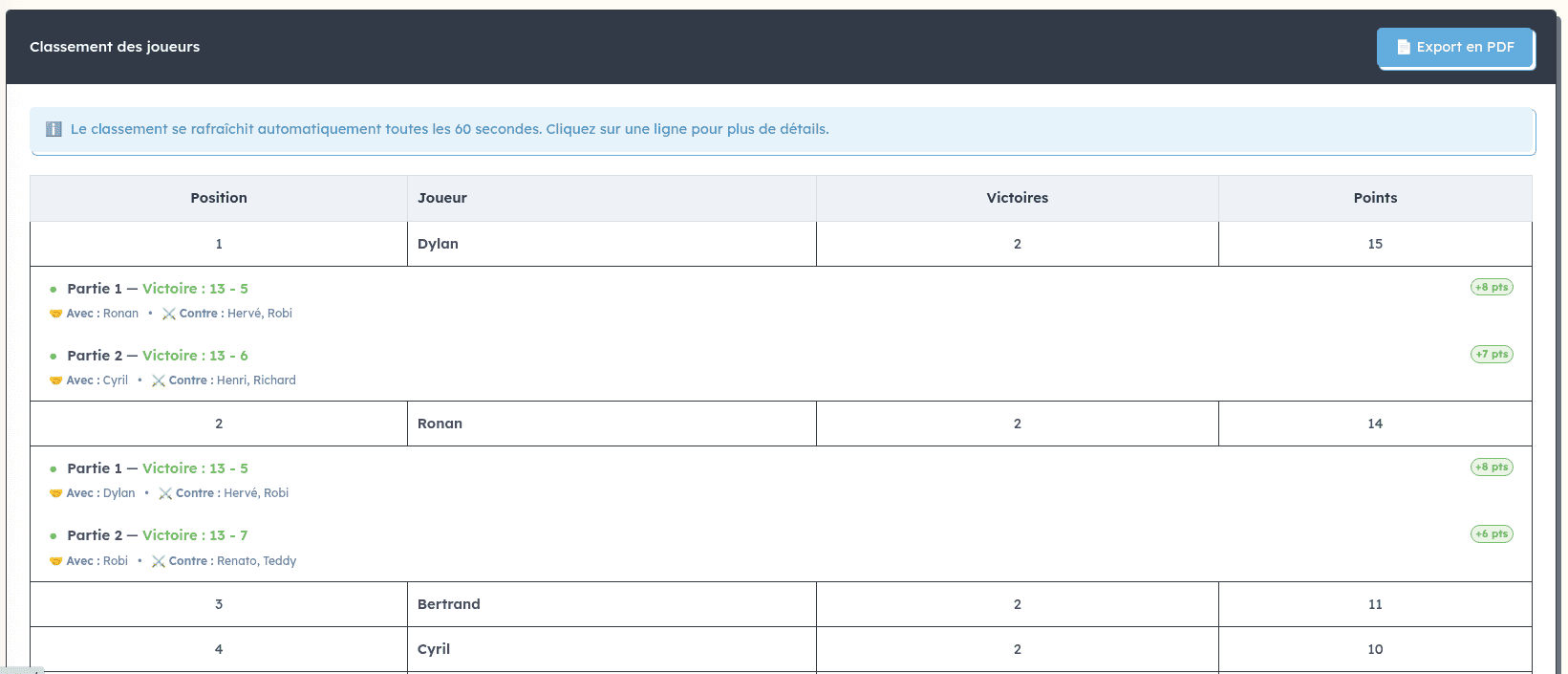
Live leaderboard example (click on a player to see results details)
🏅 How does the club's internal ranking work?
The club's internal ranking is calculated based on several tournaments à la mêlée and according to the following criteria:
- Number of victories
- Point difference (goal average)
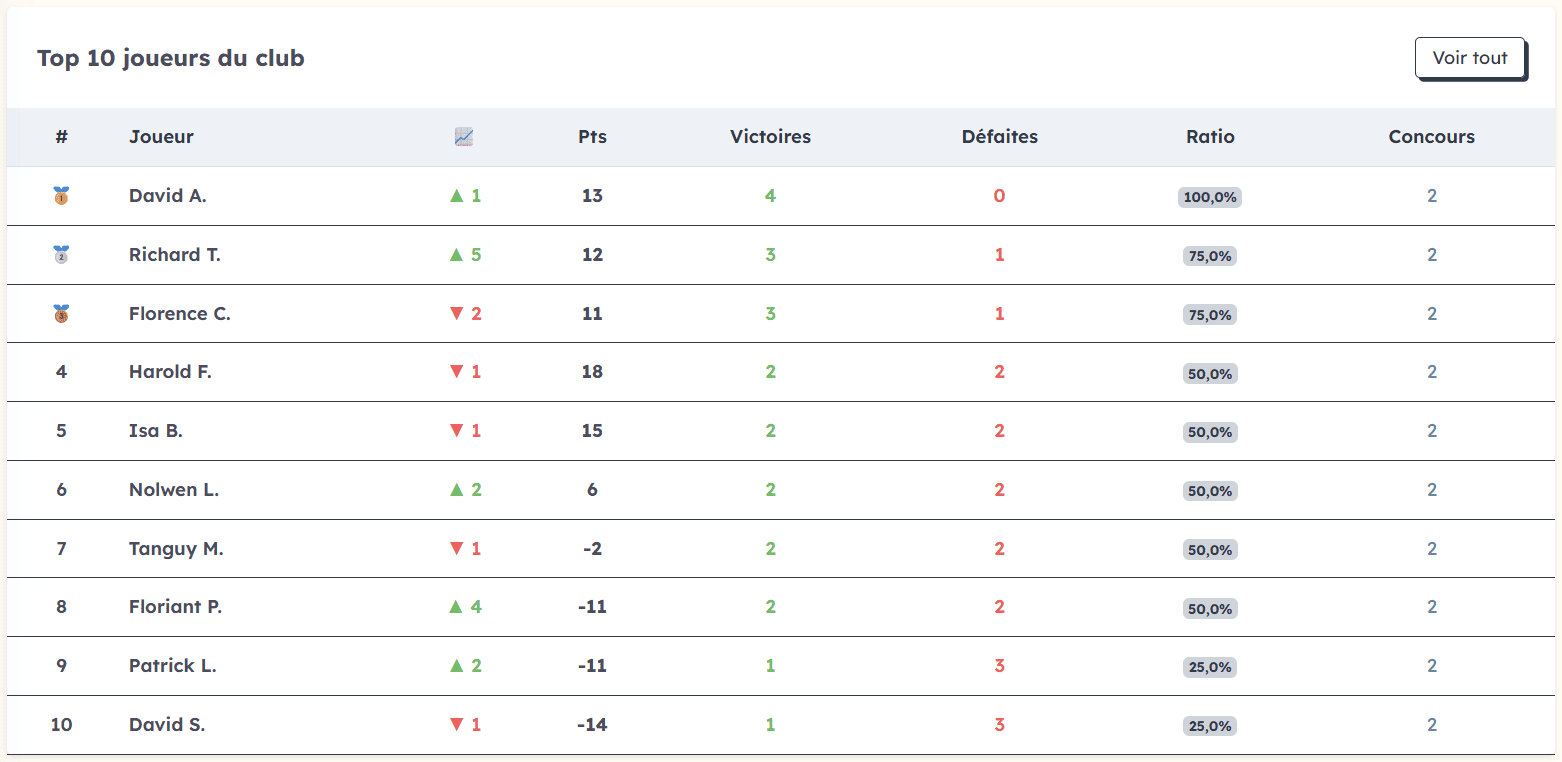
Example of internal ranking of a club
Example: if a player wins two games with scores of 13 to 8 and 13 to 2, and another player also wins two games with scores of 13 to 7 and 13 to 9, the first will be better ranked thanks to a better goal average (difference in points).
💡 Practical advice
- Prepare the courts in advance
- Clearly announce the rules (time-limited games)
- Publish your tournament in advance
- Plan prizes or winnings in advance
- Plan breaks between games
- Both teams report the score